Tell it the edit.
Or make it yourself.
A video editor that runs in your browser. Type what you want and the agent cuts it on a real timeline, or grab the clips and do it by hand.

Agent
It edits. It doesn't just suggest.
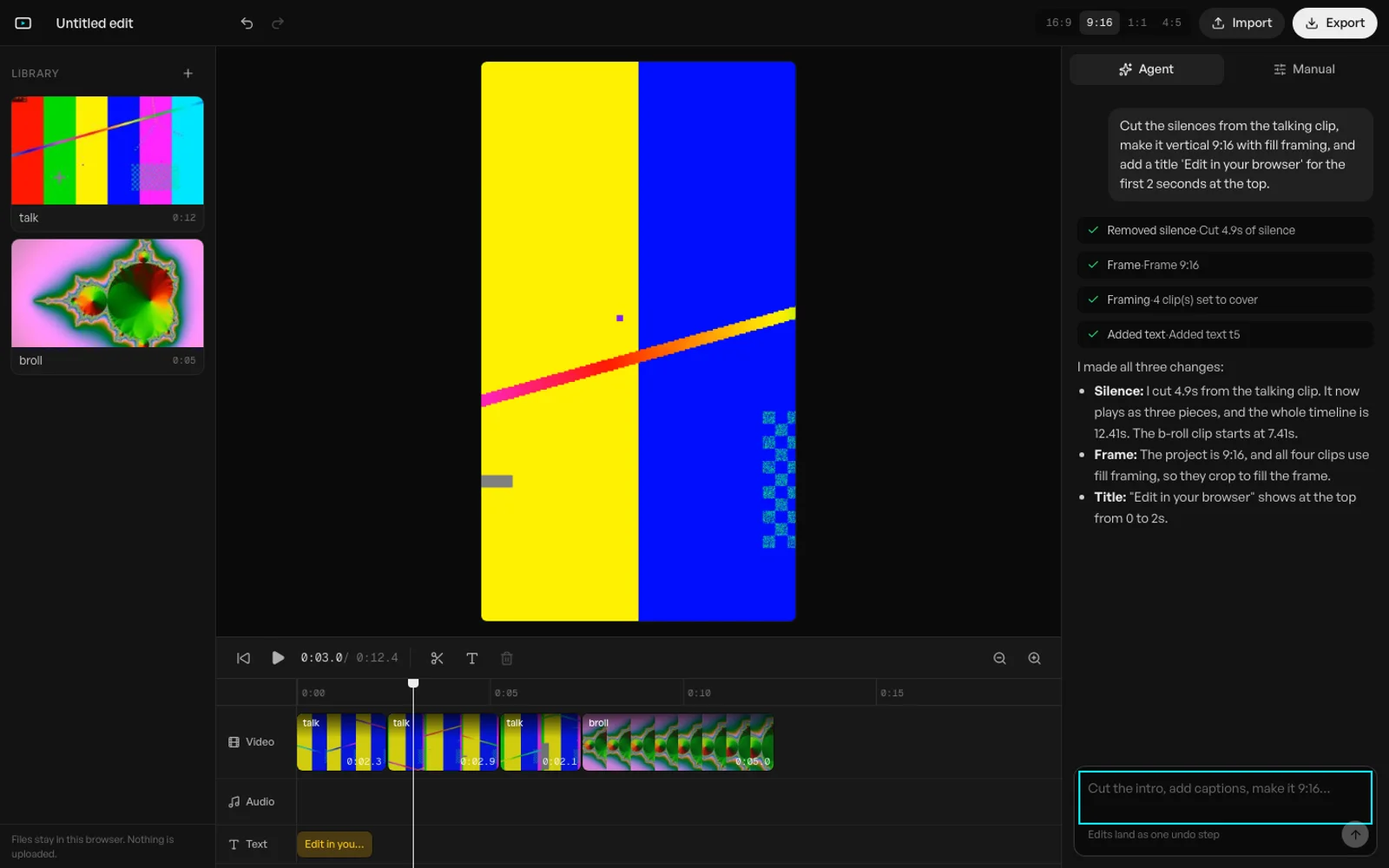
The agent works through the same tools you do and shows each one as it lands on the timeline. It reads where people speak from the audio, looks at frames when the shot matters, and checks the result before it answers.
- Cuts pauses and dead air from talking clips
- Reframes for Reels, Shorts and TikTok in one line
- Finds a hook, adds titles, grades every clip to match
- Each request is one undo, so trying things costs nothing
Down from 1:42 to 1:31 and reframed to 9:16. The jump at 0:48 is where the longest pause was.

Manual
A real timeline when you want your hands on it.
Video, audio and text tracks. Drag edges to trim, drag clips to reorder, press S to split at the playhead. Everything the agent did is right there to tweak.
- Trim, split, ripple
- Edge drags with snapping, gaps close themselves
- Speed and volume
- 0.5x to 2x, mute or boost each clip
- Looks and colour
- Presets plus brightness, contrast, saturation, blur
- Titles
- Three fonts, boxes, fades, any colour
- Any frame
- 16:9, 9:16, 1:1 and 4:5 with fit or fill
- Saved as you go
- Close the tab, your edit is still there
Your footage stays on your computer.
Decoding, previews and the final render all happen in the tab. No upload queue, no waiting on a server, no copies of your raw clips anywhere else.
Open the editor
Questions
Do my videos get uploaded? +
No. Files are read and kept in your browser's own storage. The agent only gets a text description of your timeline and a few small frame stills when it needs to see a shot.
What can the agent actually do? +
Everything the manual tools can: trim, split, reorder, delete, speed, volume, fades, colour, text, framing and aspect ratio, plus cutting silence from the audio. It edits the same timeline you do, and every turn is one undo step.
What does it export? +
MP4 in Chrome, Edge and Safari, WebM in Firefox, at 720p for landscape and 1080 wide for vertical and square. Rendering runs in real time in the tab.
Does it write captions from speech? +
Not yet. It finds where people talk from the audio levels, so it can cut pauses, but it doesn't transcribe. Titles and captions you type are fully styled.
Is it free? +
Yes, while it's in beta. No account needed.